
Graphics and Illustrations That Stand Out
QuarkXPress 2027 is professional design and page layout software with built-in vector graphics tools. Create logos, icons and illustrations with Bézier precision.
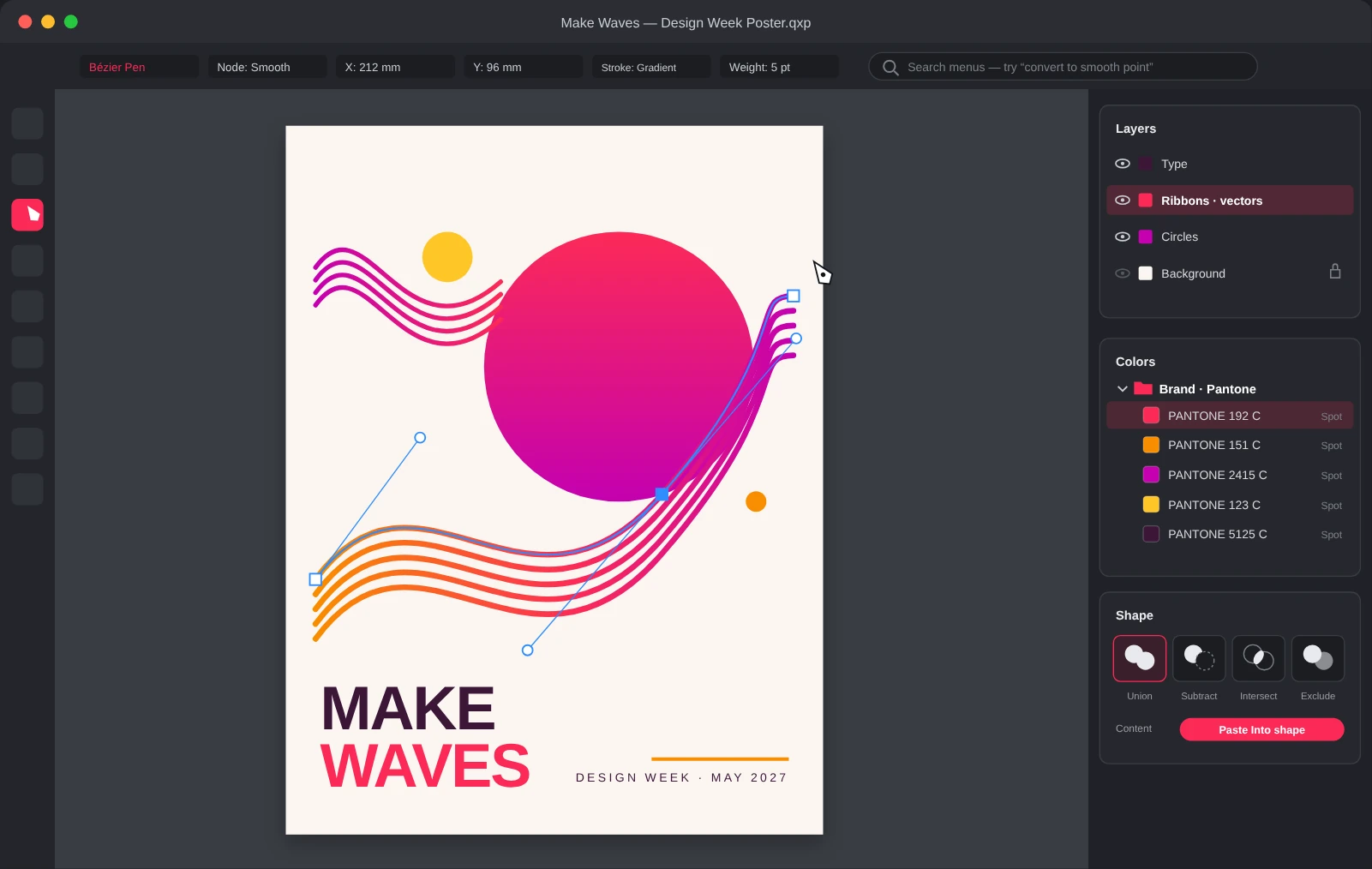
Colors That Stay Organized
QuarkXPress 2027 Color Groups sort swatches into named, searchable sets. Watch how brand and Pantone colors stay easy to find.
Where Bold Graphics Take Shape
Professional vector tools, color libraries and layers come built into QuarkXPress. Create graphics that reflect your brand without switching apps.
Powerful Vector Tools
Create and edit complex graphics with Bézier curves, node editing and freehand drawing. Every tool sits in the same workspace as your layout.
Typography with Impact
Add precision or drama to every headline with advanced typographic tools that keep your designs readable, accessible and engaging.
Pantone Colors Included
Full Pantone color libraries come built in, so you can match print colors with confidence. Other design software charges extra for the same access.
Layers That Stay Organized
Organize and stack objects with the Layers palette. Select, lock and edit parts of complex designs without disturbing the rest.
Bring In Artwork from Any App
Import graphics from other programs and convert them into native QuarkXPress objects you can modify and update. It’s as simple as copy and paste.
QuarkXPress 2027 Features
Ready for the Latest macOS and Windows
QuarkXPress 2027 is certified for macOS Golden Gate, with continued support for Windows 11, so an operating system update doesn’t become a production detour.
Organize Colors with Color Groups
Organize colors into named, searchable sets, then move or duplicate swatches as your project evolves.
Stop Hunting Through Menus
Type what you need in your own words and get the menu path, short steps and a one-click way to open the feature.
Work Inside Shapes with Paste Into
Place text, images or entire groups inside any shape, with nested containers, proportional scaling and masks you can keep editing.
Create Consistent Lists with Bullets & Numbering
New Circle and Dash bullet styles and more reliable continued numbering keep long documents in line.
Power Through Projects with Fewer Slowdowns
Dozens of stability, performance and output improvements, from more reliable PDF exports to stronger auto-backup.
Great Graphics Start Here
Explore fresh inspiration and expert tips for shaping bold vector graphics, logos and illustrations.
Subscription License
Use the software, with upgrades, updates and technical support, for as long as your subscription is active. Prepaid subscriptions renew automatically, for 12 month terms.
Perpetual License
Includes one year of Maintenance and Support, entitling you to upgrades, updates and technical support. Maintenance and support plans renew automatically for USD
